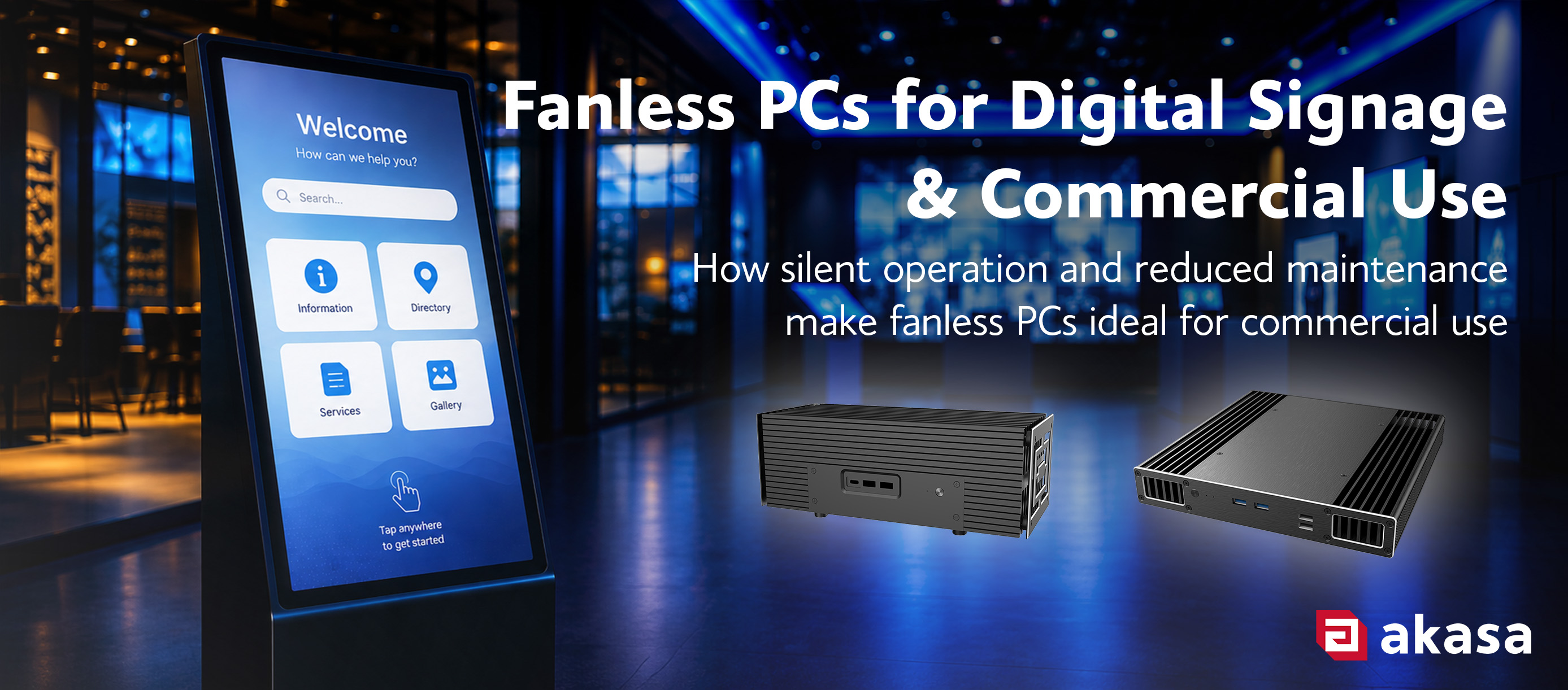
 A self-service kiosk runs all day, sealed inside a narrow column with a touchscreen, a card reader and no room to spare. Put a cooling fan in that column and you have added a wear part that draws in dust and needs an engineer with a key to replace. Fanless cases take the fan out and use the chassis to move heat instead.
This article covers how passive cooling works, where it earns its place, where it does not, and what to check before you commit to a build.
How a Fanless PC Works
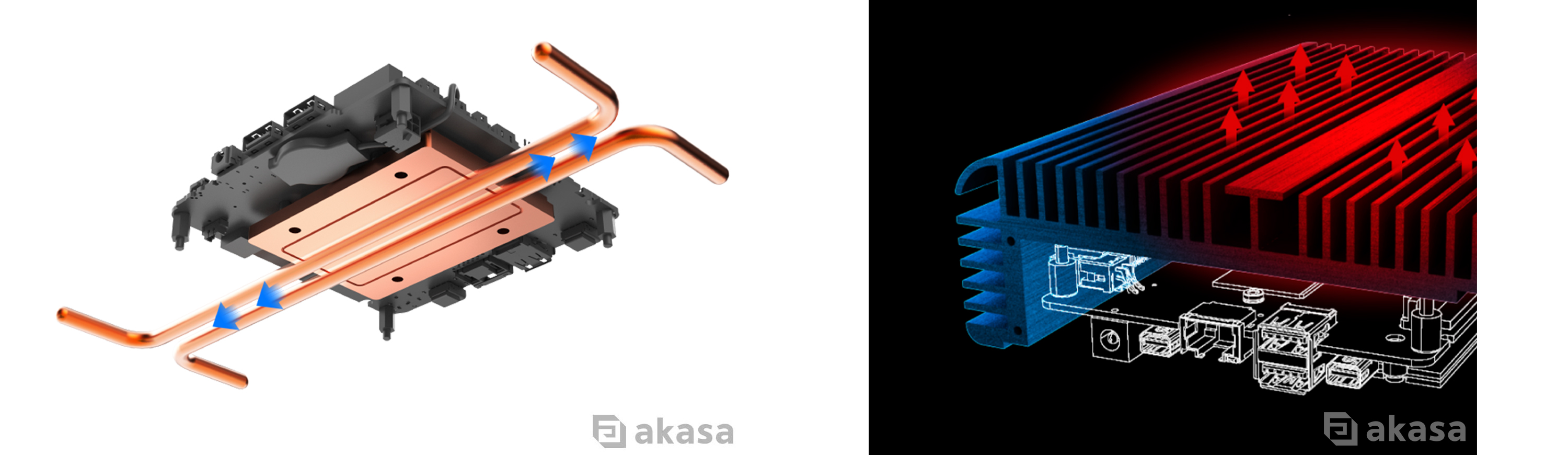
A fanless PC cools its processor without any fans. Heat leaves the CPU through a thermal module and/or copper heatpipes, spreads into the aluminium chassis, and then leaves the external fins by natural convection. The case itself is the heatsink.
Why Fanless Systems Work Well for Digital Signage
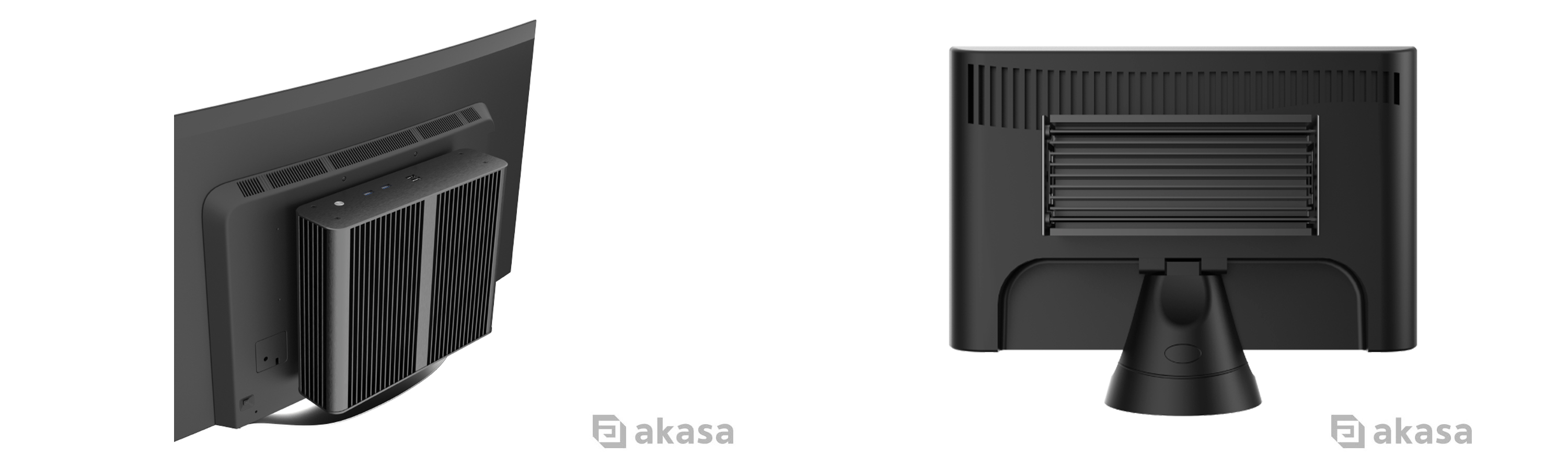
Digital signage systems are often expected to run for long periods with little day-to-day attention. They may be installed behind a display, above eye level or where access is limited, making them ideal environments for fanless designs.
No Fan Noise
The system operates in silence because there are no fans installed within the enclosure. In a gallery, a recording studio, a clinic or a quiet showroom, that counts for more than any figure on a spec sheet. Pair it with an M.2 or 2.5 inch SSD rather than a mechanical drive and the whole build stays quiet.
No Fan = No Moving Parts
Fans have bearings and bearings wear out. A fanless case has no moving parts in its design, so that point of failure is eliminated. That can be key for applications where the hardware is expected to stay in service for years and where a failed fan costs more in labour than it does in hardware.
While the fanless case itself has no moving parts, the wider system may still contain components that require consideration. Storage devices, power supplies, connectors and the surrounding installation should all be accounted for when planning long-term operation.
Less Dust Drawn Into the Chassis
An actively cooled PC uses fans to move air through the system. That airflow can also carry dust into the chassis. A passive case has no forced airflow doing that, so less dust accumulates inside over a given period. (Note: less dust is not the same as no dust. An enclosure is dust-tight only if it is rated for it, which is what an IP figure certifies. This is what the IP65-rated Akasa Pascal series does.)
What Should You Check When Choosing a Fanless System?
| Check | Why it Matters | What to Confirm |
| Processor TDP | A passive case dissipates what it dissipates. There is limited extra capacity to call on when the processor is working hard. | The rated TDP of the case, the supported socket and the sustained workload rather than a burst figure. |
| Board form factor | Each chassis supports a defined set of board sizes. | Mini-ITX, Thin Mini-ITX, 4”x4” UCFF for NUCs, or credit-card sized SBCs, such as Raspberry Pi. |
| Ambient conditions | Warmer surrounding air carries less heat away from the fins. | The worst-case temperature in the environment the system runs in. |
| Connectivity | The chassis I/O cutouts have to line up with the board and the peripherals. | Signage and commercial systems may require HDMI, DisplayPort, USB, LAN or other dedicated I/O. |
| Storage and power | Drive capacity and power requirements vary depending on the application. | M.2 and 2.5-inch SSD support, and whether the case integrates a DC to DC converter or requires an external adapter. |
| Mounting | VESA and other mounting options can make installation behind displays or inside fixtures easier. | VESA mounting brackets, wall brackets, DIN rail kits or rackmountable front panel. |
| Environment | Dust, moisture or outdoor use may require additional protection beyond a standard fanless enclosure. | IP rating for the enclosure, connectors and cabling. |
Fanless Solutions in Practice
Digital Signage Across a Retail Store
The Requirement
A retail business wants to install digital signage throughout its stores to display promotions, product information and branded content. The PCs sit behind each display, run through opening hours and are spread across multiple sites where an engineer maintenance call-out costs more than the hardware.
The Solution
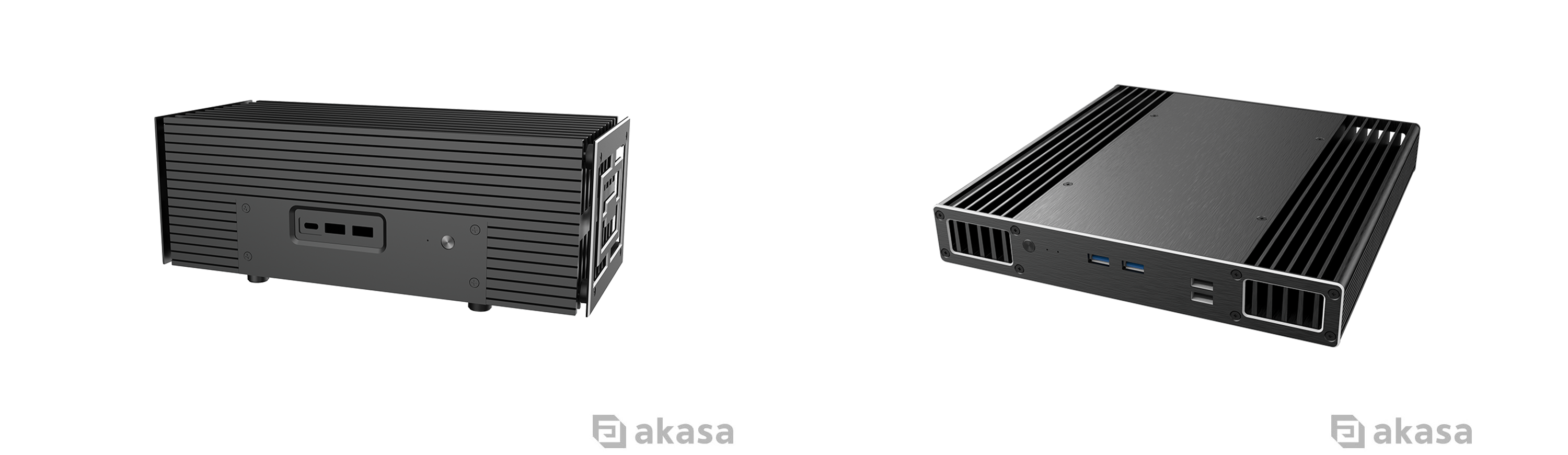
An ASUS NUC 15 Pro or ASUS NUC 14 Pro board in an Akasa Turing RC Pro (A-NUC101-M1B) covers this. The Turing RC Pro is a 2.8 litre brushed aluminium enclosure with a copper thermal module and dual heatpipes, supporting up to 40W TDP and mounts vertically or horizontally. Where depth behind the display is tight, the Plato RC (A-NUC106-M1B) is the slim alternative on the same platform.
Interactive Self-Service Kiosk
The Requirement
A kiosk needs a touchscreen interface, a card reader or a scanner, and enough room inside a narrow column for all of it. The requirement is heavier than a media player and the space is worse.
The Solution
A Mini-ITX and Thin Mini-ITX system give you the board choice to build around the peripherals. The Akasa Euler CMX (A-ITX61-S1B) takes Mini-ITX boards on Intel® Core™ and Core™ Ultra processors (up to 35W TDP) and measures 248.6 x 205 x 78.5 mm for a volume of 4.0 litres. It integrates a 220W DC-to-DC converter, supports M.2 SSD storage and comes with VESA and wall mounting brackets.
The Galileo TU2 Plus MKII (A-ITX53-M1BV2) is the flatter option. It is a Thin Mini-ITX case for Intel LGA1851/LGA1700 sockets up to 35W TDP, with space for four internal 2.5” drives, front USB ports and comes in a 1U rackmountable version (Galileo TU3 Plus MKII, A-ITX54-M1BV2) if the kiosk hardware ends up in a cabinet.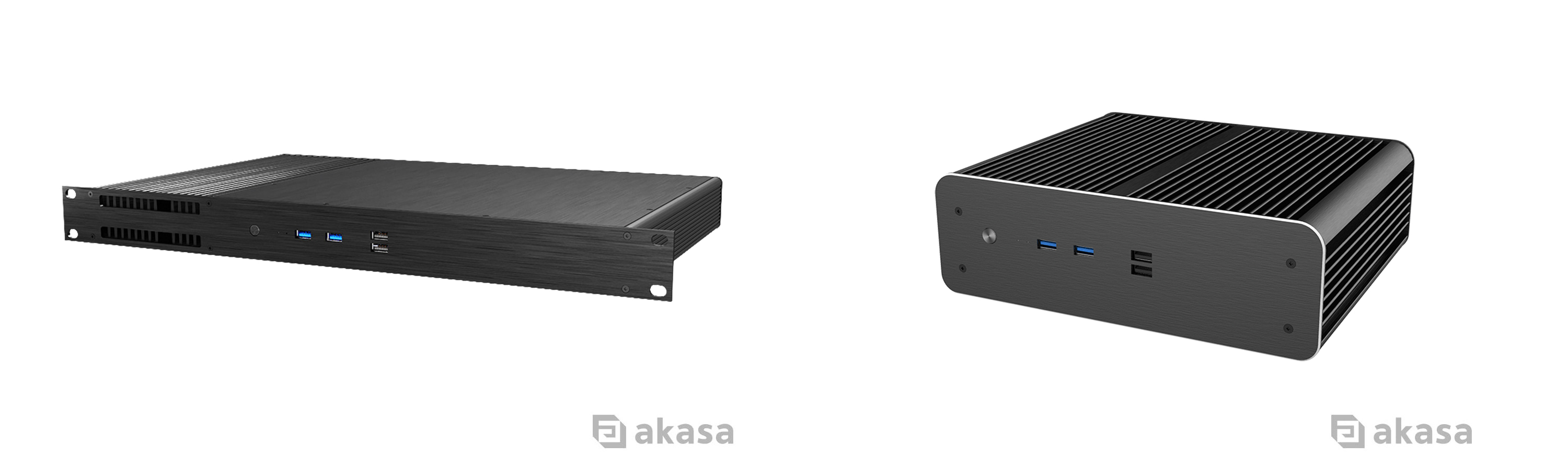
A Smaller Alternative
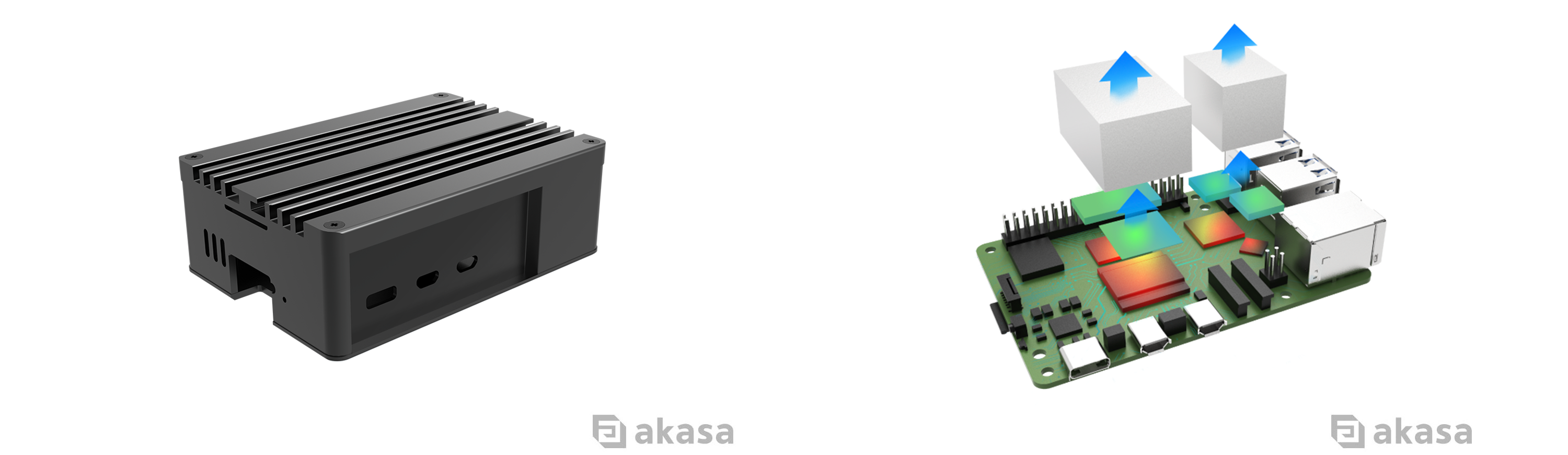
For a menu board or a wayfinding screen that only has to decode video and hit an API, a Raspberry Pi 5 in a Pi-5 Pro case (A-RA13-M2B) is a much smaller and more cost-effective platform. The anodised aluminium body works as the heatsink, with dual aluminium cores and thermal pads drawing heat from the processor and the other hot spots on the board.
Outdoor Information Display
The Requirement
A display at a transport interchange or a visitor site introduces additional requirements. The system faces rain, wind blown dust and a wider temperature swing, and the external connections have to stay put once the enclosure is closed.
The Solution
The Pascal MX (A-ITX64-S1B) is built for these environments. The enclosure carries an IP65 rating, meaning dust-tight and protected against low-pressure water jets, and that protection extends to the cables and connectors. HDMI, dual USB 3.0 Type-A, RJ45 and DC power cables are supplied at 2-metre lengths with screw thread locking connectors. It supports Mini-ITX and Thin Mini-ITX boards with Intel® Core™ and Core™ Ultra processors up to 65W. It includes a 220W internal DC-DC converter rated from minus 25 to 70 degrees Celsius, creating a self-contained system for industrial and outdoor applications.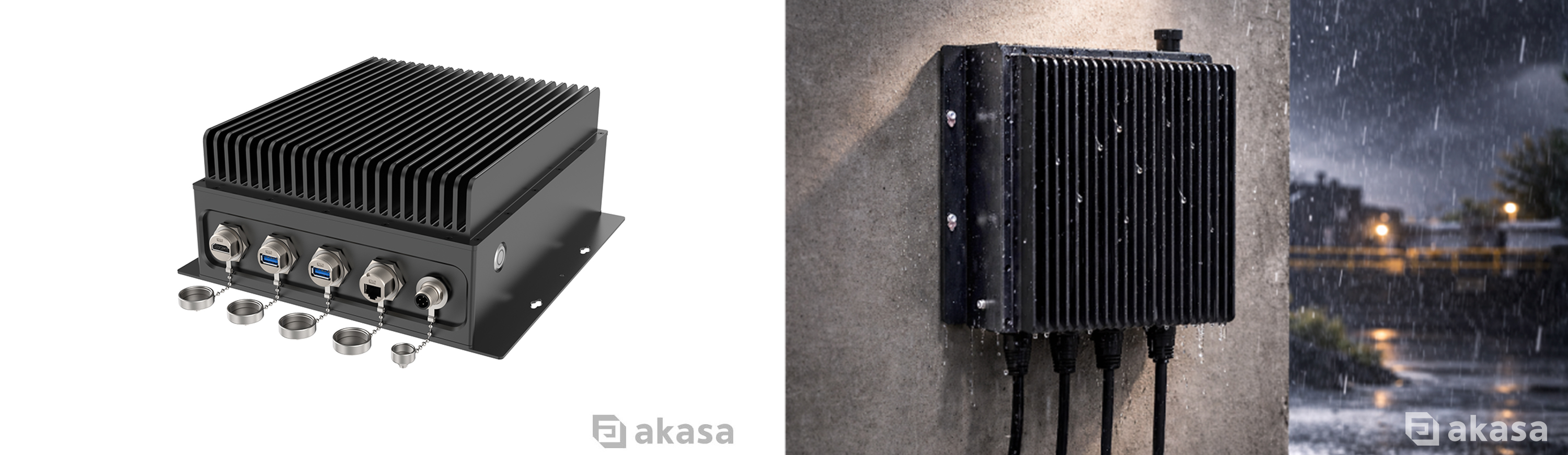
For OEM projects, system integration and volume enquiries, contact the Akasa team to discuss your system and cooling requirements.
About Akasa
Akasa is a global computer hardware and electronics manufacturer which fuses innovative design with cutting-edge technology and engineering to deliver exceptional products for our customers. Founded in 1997, Akasa has extensive expertise to provide quality solutions to suit your needs. We offer passive and active case solutions, coolers, heatsinks, fans, PC lighting and a vast array of card readers, cables, and adapters.
Legal Notices
© Copyright 2026 Akasa. All rights reserved. Akasa is a trading style of the Akasa group of companies. All trademarks and registered trademarks are the property of their respective owners. This article is intended for general informational purposes only and does not constitute professional or technical advice. Product performance may vary depending on system configuration, operating conditions and workload.


